Houdini KineFX Sink
· Rigging ·
TOC
Rigging
Typical rigging
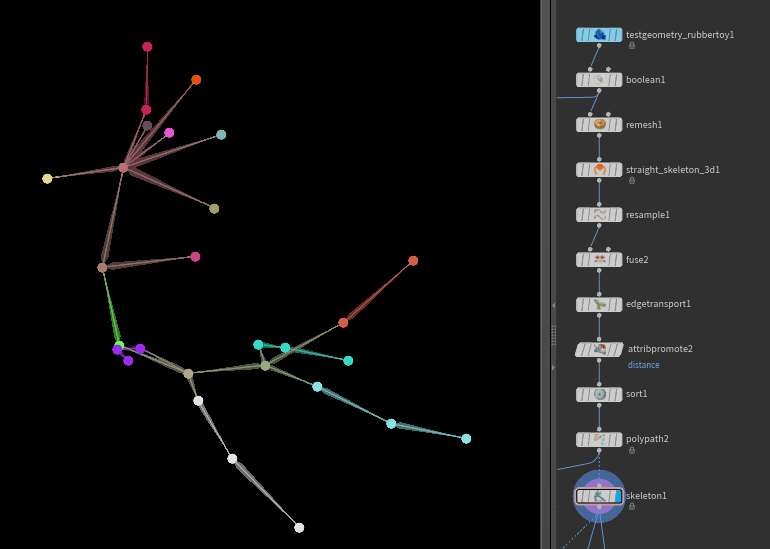
Rig from labs straight skeleton
Troubleshooting
Bone names
Always check the rigged models you purchase for this issue!
Bones SHOULD NEVER contain path-like symbols like dots, slashes or colons in the names, APEX accepts these but in the end you wont be able to see the animation channels in the Anim Editor (despite other oddities). Sanitize the bone names, replace dots (or Mixamo bullshit)! To replace dots in the boneCapture names use Attribute String Edit with boneCapture.pCaptPath as the point attribute.
Use Attribute String Edit:
Points: boneCapture.pCaptPath
Use regular Expressions: ON
Filter From: [^0-9a-zA-Z\.]
Filter To: _
To remove Mixamo tag:
Points: boneCapture.pCaptPath
Filter From: mixamorig:*
Filter To: *
And a wrangle to rename the name and path attributes:
s@path = re_replace('[^0-9a-zA-Z]', '_', s@path);
s@name = re_replace('[^0-9a-zA-Z]', '_', s@name);
Bone scale
Fixing the fbx bone scales with point wrangle:
// simple
matrix3 m = 3@transform;
scale(m, {100, 100, 100});
3@transform = m;

// world space
matrix3 xform = 3@transform;
matrix3 rot;
matrix3 stretch;
polardecomp(xform, rot, stretch);
3@transform *= invert(stretch);